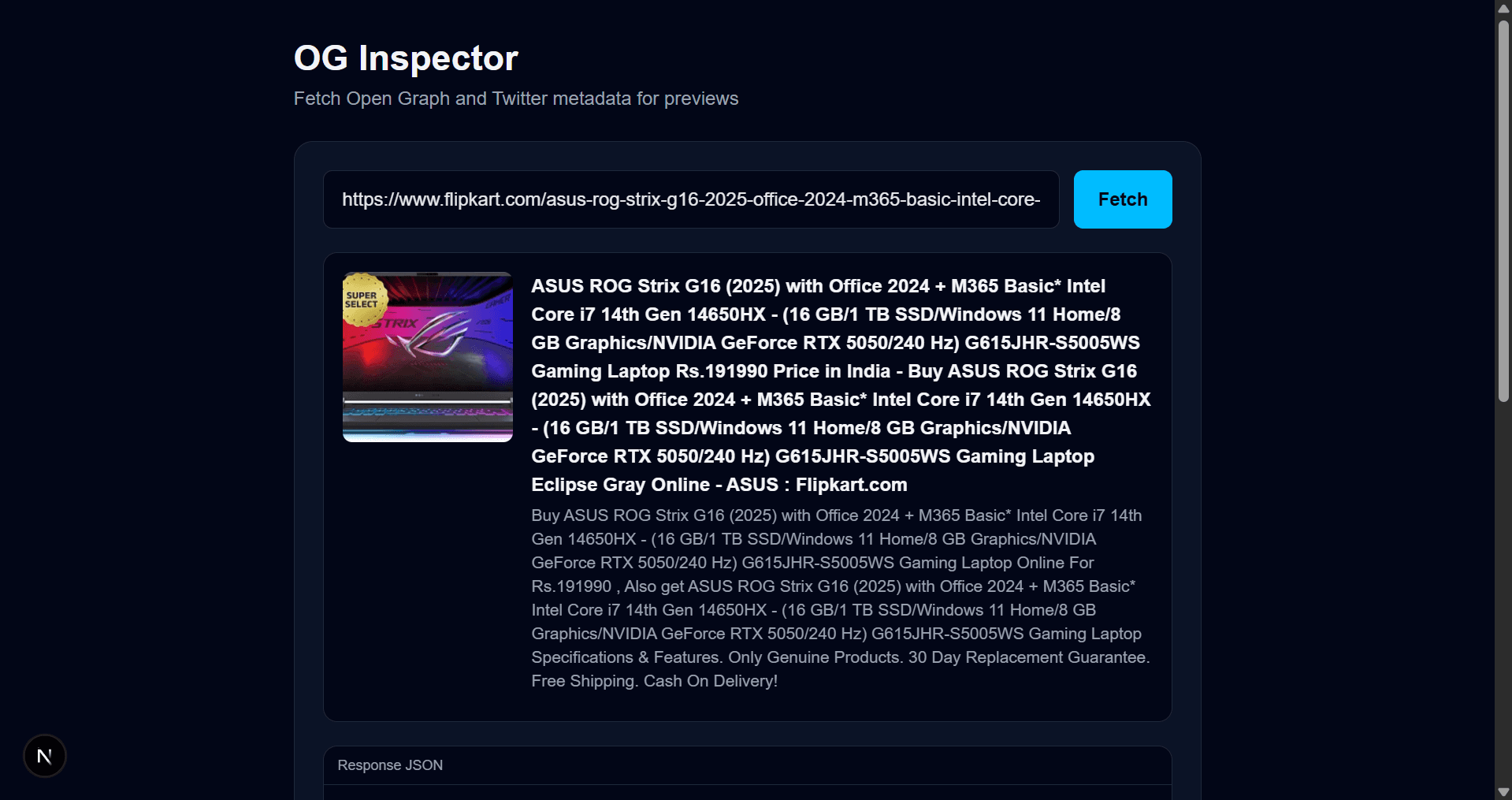
📖 Overview
OG Inspector is a simple tool that fetches Open Graph and Twitter Card metadata for any website, allowing you to preview how links will appear when shared on social platforms.
🚀 Tech Stack
- ⚡ Framework: Next.js 13+ (App Router)
- 🟦 Language: Typescript
- 🌐 Metadata Extraction: Server-side fetching & HTML parsing
- 🎨 Fonts: Geist via Next.js
next/font
✨ Features
- 🔎 Fetch Open Graph metadata (title, description, URL, type)
- 🐦 Fetch Twitter Card metadata (title, description, URL, card type)
- ⚡ Lightweight and fast
- 🧩 Built with Next.js 13+
⚠️ Known Issues
- 🌐 Some websites may block requests from your IP address if they restrict automated scraping from servers.
- 🚫 Certain hosting providers may restrict outbound HTTP requests, which can prevent metadata fetching from working correctly in production.
💡 Suggestion: If applicable and permitted, use a proxy or VPN to rotate your IP address when requests are blocked. For production deployments, ensure your hosting provider allows external network requests.
🧑💻 Getting Started
📌 Prerequisites
Node.js v18 or newer is recommended.
📦 Installation
1️⃣ Clone the repository
git clone https://github.com/lakshyaraj2006/url-preview-gen.git2️⃣ Navigate into the project directory
cd url-preview-gen3️⃣ Install dependencies
npm install
# or
yarn
# or
pnpm install
# or
bun install
🚀 Running Locally
npm run dev
# or
yarn dev
# or
pnpm dev
# or
bun dev
Open http://localhost:3000 in your browser. Edit app/page.tsx to see live updates.
🛠 Project Structure
app/– Main app directory (Next.js 13+ App Router)app/page.tsx– Homepage and main logicapp/layout.tsx– Global layoutapp/favicon.ico– Project faviconnext.config.js– Next.js configurationpackage.json– Dependencies and scripts
📚 Learn More
- Next.js Documentation – Features and API reference
- Learn Next.js – Interactive tutorial
- Next.js GitHub – Source code and contributions
🚀 Deployment
The easiest way to deploy this project is through Vercel or any platform that supports Next.js production builds. Make sure your deployment environment allows outbound network requests for metadata fetching to function properly.